PRODUCT PHOTOGRAPHY IDEAS

Find your next
“that’s the one.”

eBay finds, game cases, everyday essentials, your next big launch. Explore the looks, learn how to shoot your starting photo, and take a setup straight into your studio.

Product photo recipes

12 photo recipes to make your own
BeforeOriginal photo
AfterAI-styled example

Help a buyer see what is included at a glance. A console, its controller, and its cables make a useful starting point for a clear bundle photo.

Clean whitePortrait · 4:5

Made for Console bundles, used electronics, and eBay listing galleries.

Make this idea yours
Start with your photo

Place each included item beside the console so nothing hides its surface. Use soft light, keep every edge in frame, and add separate original photos of ports and visible wear.

Try another direction

Try warm wood for a secondary lifestyle image. Keep the original condition photos alongside any styled result.

Try Warm wood
Use this setup
BeforeOriginal photo
AfterAI-styled example

A readable cover helps collectors recognize exactly which game they are looking at. This real game-case photo is a starting point for a simple, focused listing image.

Clean whitePortrait · 4:5

Made for Used games, retro collections, and individual eBay listings.

Make this idea yours
Start with your photo

Photograph the front straight on and reduce reflections on the plastic. Add original photos of the back, spine, disc, manual, and any damage that applies to your copy.

Try another direction

Try collector shelf for a collection feature. Check the title, platform, edition, and wear against the original before using a generated image.

Try Collector shelf
Use this setup
BeforeOriginal photo
AfterAI-styled example

Lay a small card lot out in one clear row so buyers can see each design. Even spacing gives a bundle a tidy overview without hiding what is included.

Clean whiteLandscape · 4:3

Made for Trading-card lots, collector bundles, and eBay listing galleries.

Make this idea yours
Start with your photo

Use diffuse light to reduce foil glare and keep all corners visible. Include unedited close-ups of each front and back to show condition; a styled overview cannot replace those details.

Try another direction

Try ink studio for a darker collection overview. Compare card text, borders, foil patterns, and condition with the original photo.

Try Ink studio
Use this setup
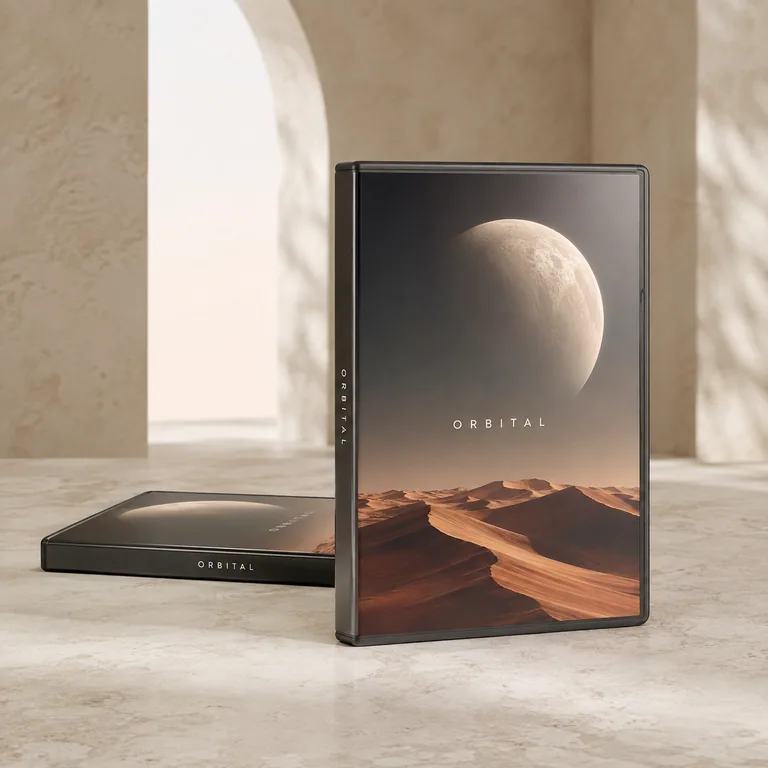
Two ORBITAL indie video game cases with illustrated copper dunes on a pale stone tabletopConcrete gallery

Turn a game case into a collector-worthy feature. A quiet stone setting gives the cover art space to do the talking.

Concrete galleryPortrait · 4:5

Made for Game-store arrivals, collection features, and product launches.

Make this idea yours
Start with your photo

Photograph the full case at a slight angle, with its cover and spine visible. Reduce glare before uploading.

Try another direction

Choose clean white for a simple catalog companion to your campaign image.

Try Clean white
Use this setup
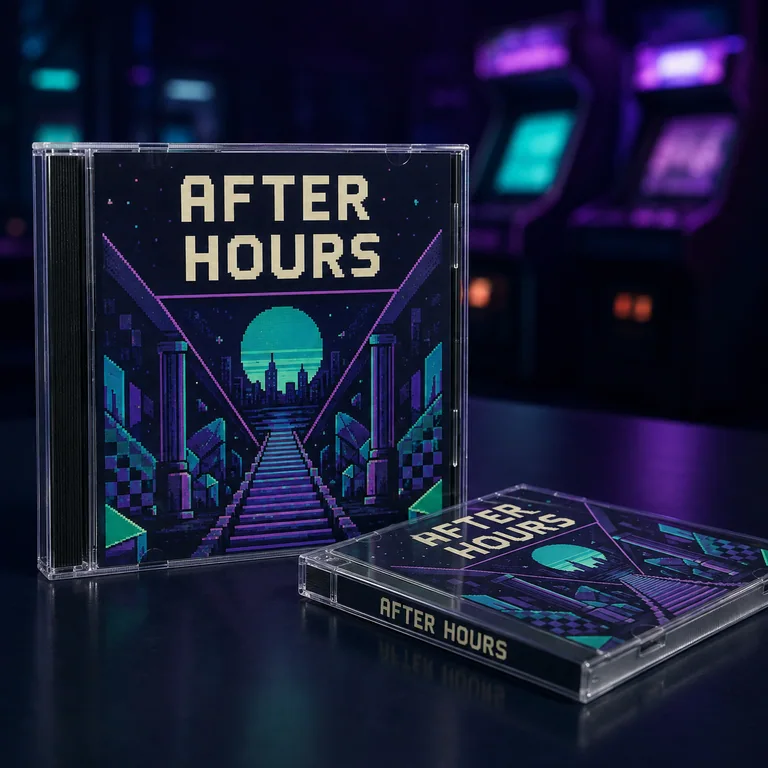
AFTER HOURS retro game jewel cases with violet and teal cover art in a softly glowing arcade sceneRetro arcade

Pair a jewel case with an arcade-inspired backdrop. Restrained color in the distance brings a retro collection to life.

Retro arcadeSquare · 1:1

Made for Retro game shops, collection posts, and new-stock announcements.

Make this idea yours
Start with your photo

Keep the jewel case closed and wipe away fingerprints. Check that all cover lettering is readable in your source photo.

Try another direction

Try a collector shelf for a softer, at-home collection story.

Try Collector shelf
Use this setup
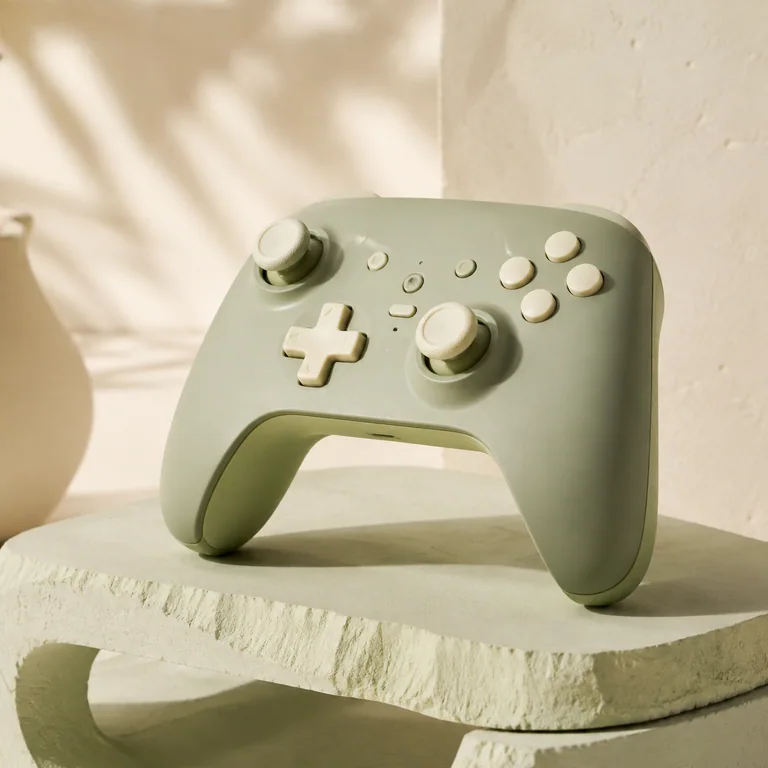
Sage green game controller on a pale stone pedestalConcrete gallery

Let tactile buttons, soft curves, and a distinctive colorway carry the image. A minimal gallery scene keeps the focus on the hardware.

Concrete gallerySquare · 1:1

Made for Accessory launches, store collections, and social product spotlights.

Make this idea yours
Start with your photo

Show the full controller, including both grips. Use even light so the buttons remain distinct.

Try another direction

Switch to ink studio for more contrast around a light-colored controller.

Try Ink studio
Use this setup
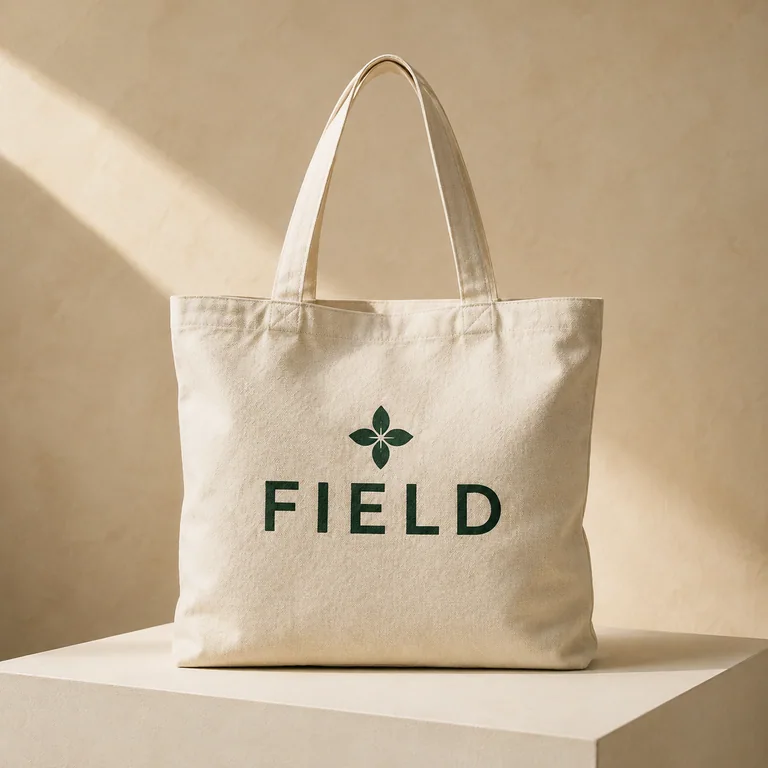
Cream canvas tote with a forest green FIELD logo printed on its frontLogo mockup

See your identity on something people can carry. A white backdrop makes a new logo or merchandise concept easy to compare.

Clean whitePortrait · 4:5

Made for Merchandise concepts, brand presentations, and launch previews.

Make this idea yours
Start with your photo

Upload a blank tote or other product, then a separate transparent PNG logo. Start with Front center and Balanced size.

Try another direction

Warm wood gives the same branding concept a more everyday setting.

Try Warm wood
Use this setup
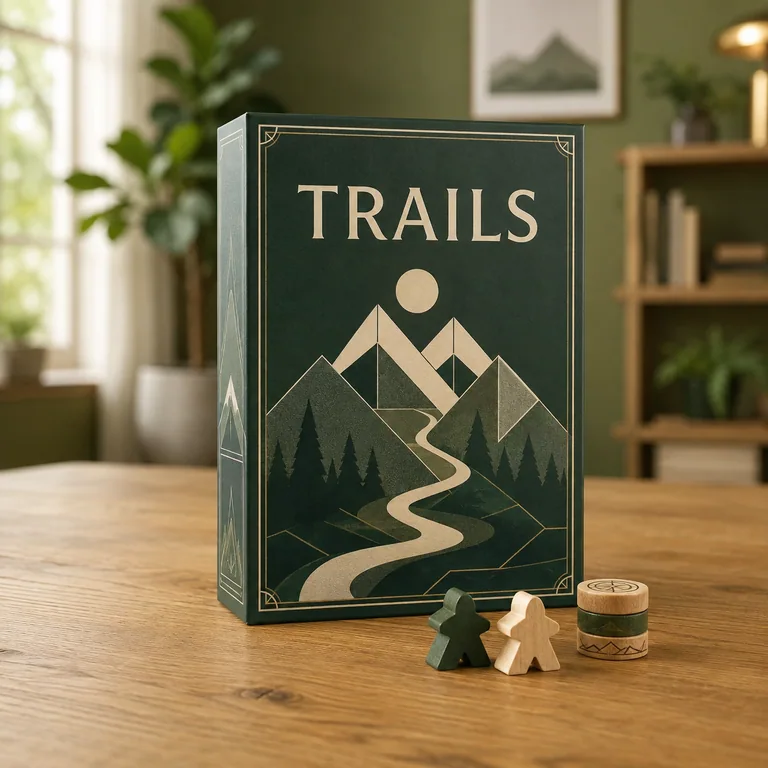
Forest green TRAILS board game box with wooden playing pieces on a tableCozy game room

Make a boxed game feel like the start of an evening. A warm room works well when you want people to imagine playing together.

Cozy game roomLandscape · 4:3

Made for Tabletop game promotions, gift guides, and store banners.

Make this idea yours
Start with your photo

Arrange the actual box and a few included pieces in one photo. Leave the title uncovered and include every item you want to show.

Try another direction

Try warm wood for a closer, calmer tabletop presentation.

Try Warm wood
Use this setup
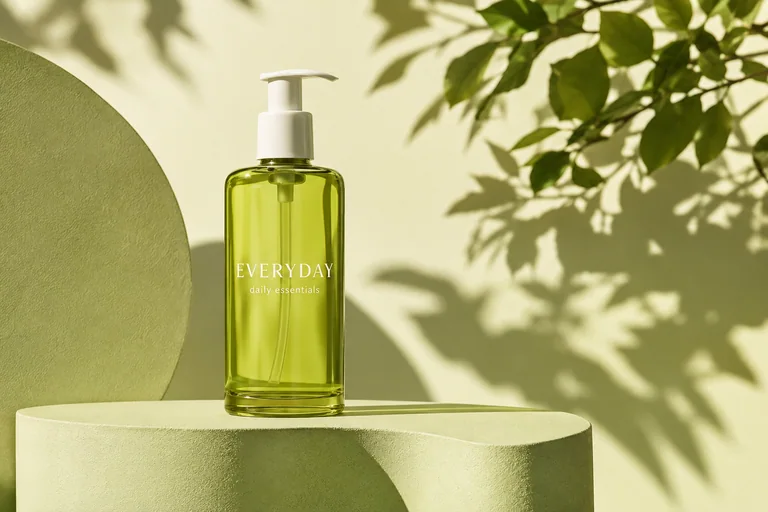
Green EVERYDAY skincare bottle on a sculptural podium with botanical sunlightSunlit botanical

Soft leaf shadows and a fresh green palette give a daily essential a morning-routine mood.

Sunlit botanicalPortrait · 4:5

Made for Skincare launches, routine posts, and ingredient-led campaigns.

Make this idea yours
Start with your photo

Face the label toward the camera and photograph the cap as well as the bottle. Use soft window light to avoid harsh glare.

Try another direction

Soft blush creates a gentler studio treatment for the same bottle.

Try Soft blush
Use this setup
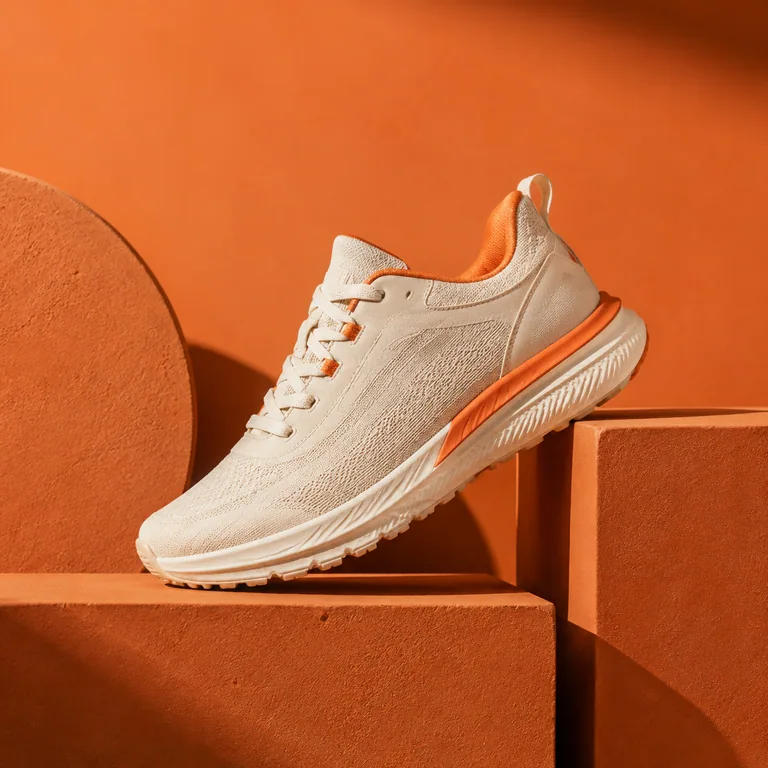
Cream and orange sneaker on terracotta architectural blocksColor pop

Tonal blocks and directional light bring energy to a product drop. Choose a color story that complements the shoe.

Color popSquare · 1:1

Made for Sneaker drops, fashion collections, and social announcements.

Make this idea yours
Start with your photo

Capture the shoe from the side or a three-quarter angle, with the sole and toe fully visible. Keep real wear visible for resale listings.

Try another direction

Concrete gallery tones things down for an understated editorial image.

Try Concrete gallery
Use this setup
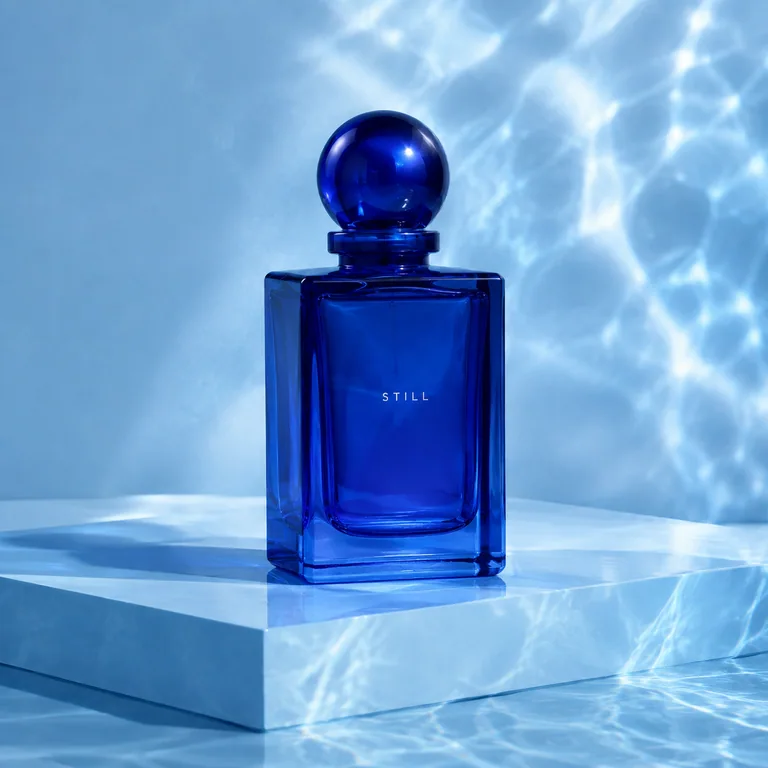
Cobalt blue STILL perfume bottle with reflected water lightBlue hour

Reflected water light gives glass packaging a quiet sense of movement. A cool backdrop can make a small bottle feel special.

Blue hourPortrait · 4:5

Made for Fragrance features, gift edits, and seasonal campaigns.

Make this idea yours
Start with your photo

Use a clean bottle and readable label. Photograph against a plain background with enough light to show the glass edges.

Try another direction

Velvet spotlight creates a warmer evening mood for a gift-focused variation.

Try Velvet spotlight
Use this setup
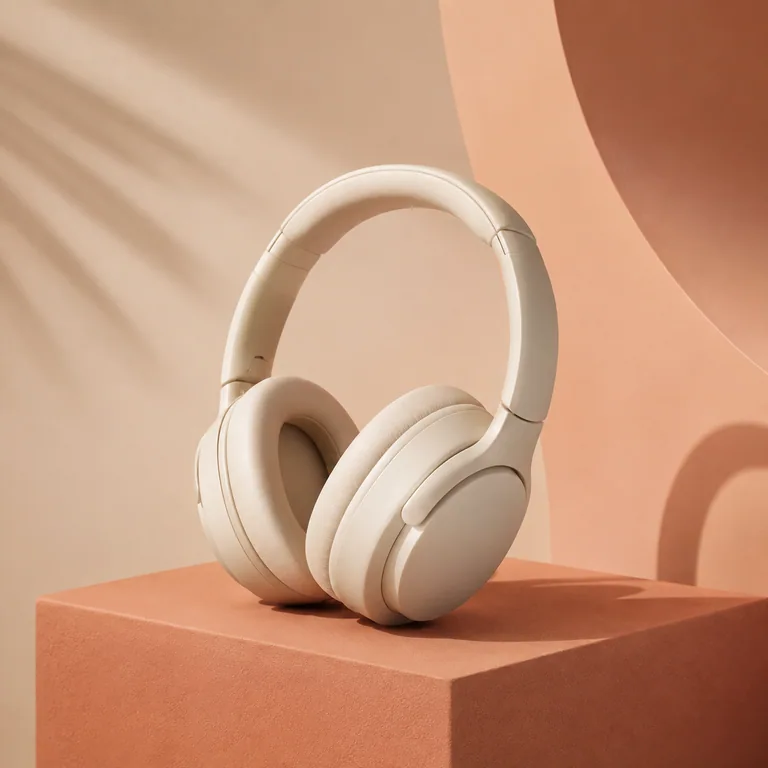
Cream over-ear headphones on a terracotta block with a peach backdropColor pop

Put a familiar piece of technology in a warm, sculptural setting. Contrast soft ear cushions with simple architectural shapes.

Color popLandscape · 4:3

Made for Audio launches, gift guides, and website feature images.

Make this idea yours
Start with your photo

Show the complete headband and both earcups. Use a position the headphones can naturally hold.

Try another direction

Ink studio gives pale headphones a crisp silhouette and a more dramatic mood.

Try Ink studio
Use this setup

The eBay comparisons pair original photos with AI-styled examples. Results vary; check product details and condition against the original. Other examples are AI-created inspiration, including fictional game artwork. Use this setup selects a scene and format for your own upload; it does not copy the example.

ONE PRODUCT. A FEW GOOD DIRECTIONS.

Build a small photo story.

Start with a clear product photo, then change one thing at a time. These three directions work for a game case, a bottle, or your next handmade product.

01 / THE CLEAR VIEW

Let the product speak.

Choose Clean white and Square for a simple catalog image. Keep all edges visible and check labels, texture, and condition.

Try a clean studio shot ↗
02 / THE EVERYDAY STORY

Give it a place to belong.

Try Warm wood and Landscape for a relaxed feature image. Use your source photo to show any included pieces or accessories.

Try an everyday setting ↗
03 / THE LAUNCH MOMENT

Make a little more of it.

Pair Ink studio or Color pop with Portrait for a striking feed image. Review the result, then add campaign text in your design tool.

Try a launch image ↗

Each generated image uses one photo from your plan. Square is 1:1, Portrait is 4:5, and Landscape is 4:3.